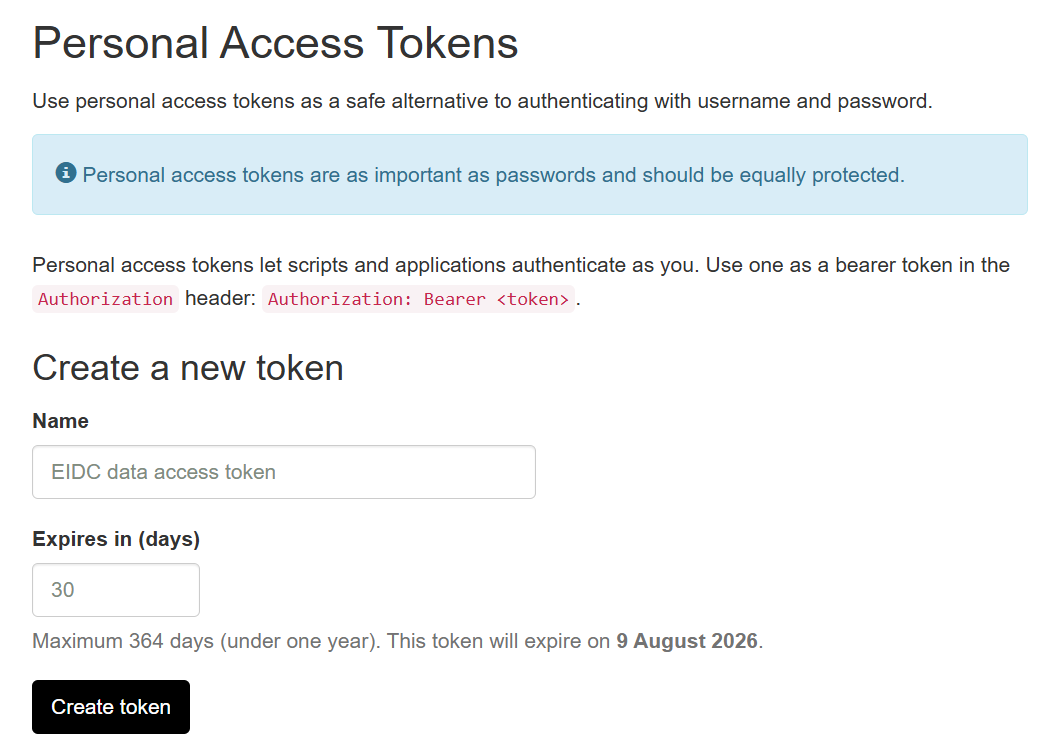
A Personal Access Token (PAT) is a secure way of accessing services via the command line or an API. They are a more secure alternative to a standard username and password .
When you click the Create token button, your new token will be created and displayed on screen. It will look something like pat_8MsKbGcQevdYM91_pHUD-w20kg_DdvbNIqeKzkeDp1E
Make a copy of it, as you will not be able to access it again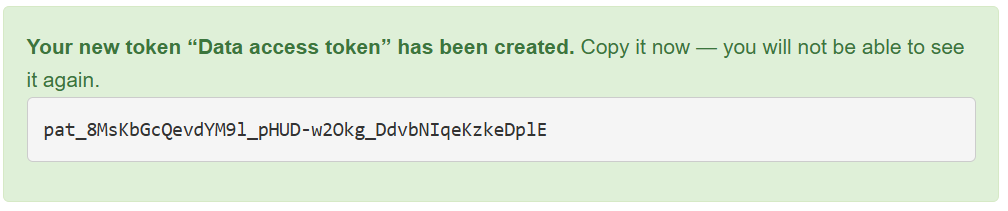
If you forget or lose your token, you will not be able to retrieve it and you will have to create a new one. You should also revoke it (see below).
Revoking a token, effectively deletes it and prevents it from being used again.
You should revoke a token if you lose it, or you suspect it has been compromised, leaked, or exposed in logs or public repositories. You should also revoke your token if you definitely know that it is no longer needed.
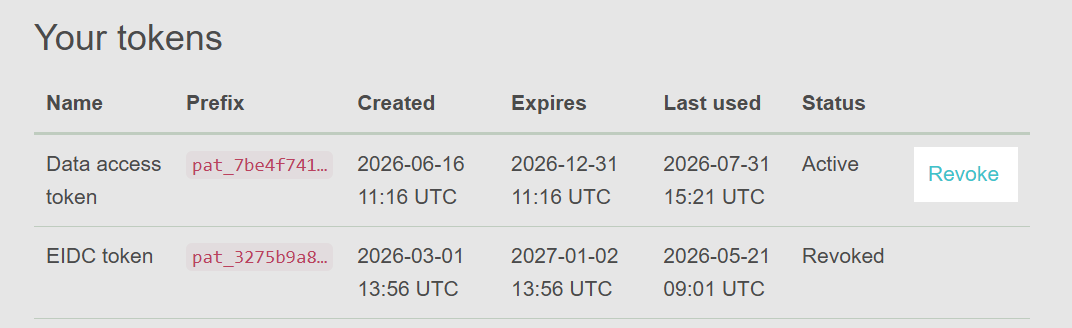
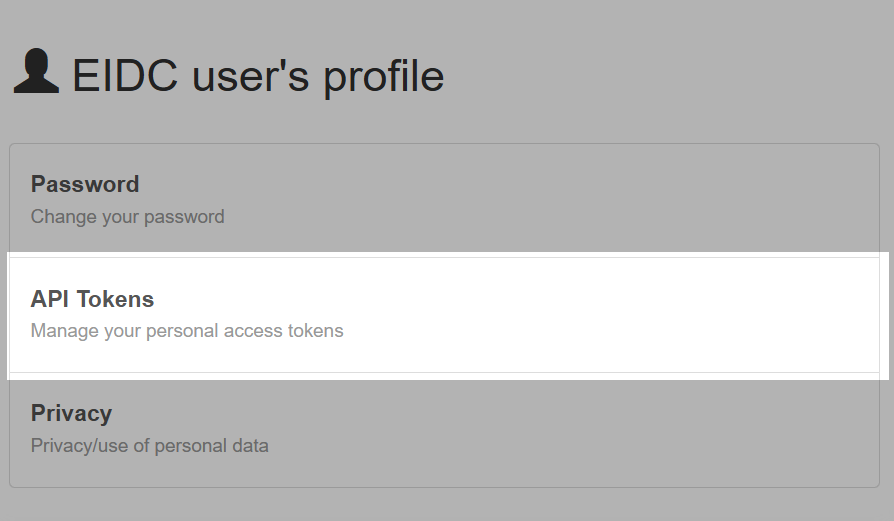
To revoke a token, go to the tokens page in your user profile. Your existing and past token(s) will be listed
Find the token you want to revoke and click on the Revoke link. This is permanent - once revoked, a token cannot be recovered.